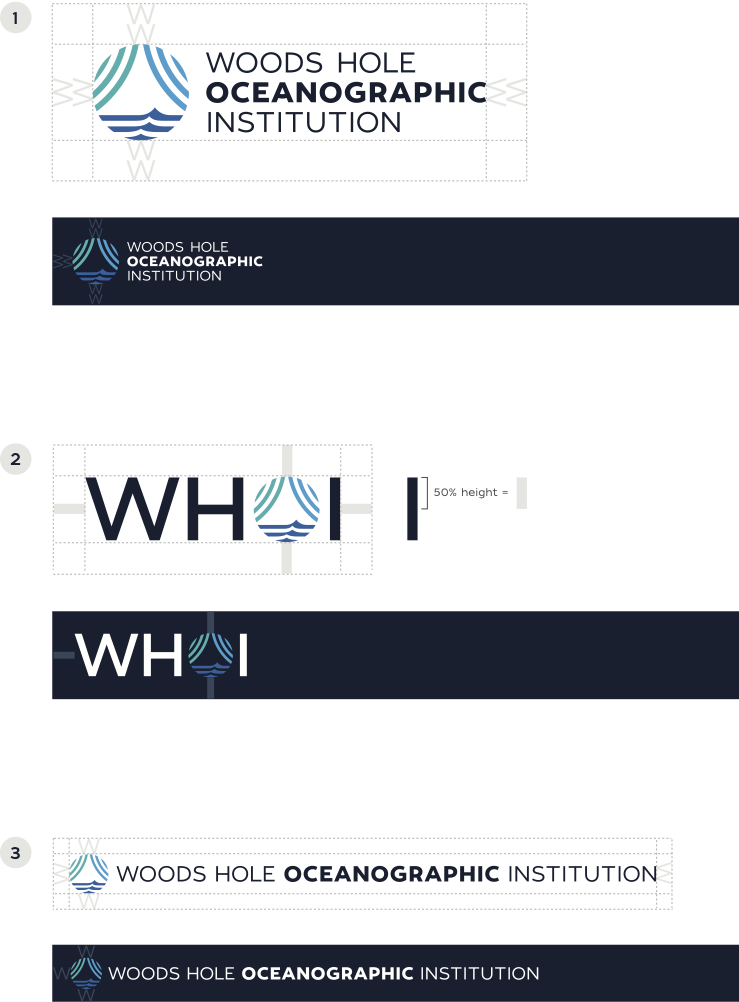
Clear space requirements
For the logo to maintain its integrity and impact, the area surrounding the logo must remain clean and free of extraneous graphical elements. This includes graphics, photographs, type and any other visual elements in both print and digital formats. The minimum clear space varies for each logo within the responsive system. The clear space requirement is designed to ensure the logo is always clear and legible. Regardless of the size of the reproduction of the logo, the minimum space shown must be maintained on all four sides.
- Primary Logo
The clear space on each side of the Primary logo is equal to the height of its icon. The Tagline logo and Wordmark version follow the same clear space rule as the Primary logo. - Acronym Logo
The clear space on each side of the Acronym logo is equal to the height of its icon. - Single Line Logo
The clear space on each side of the Single Line logo is equal to the height of its icon.
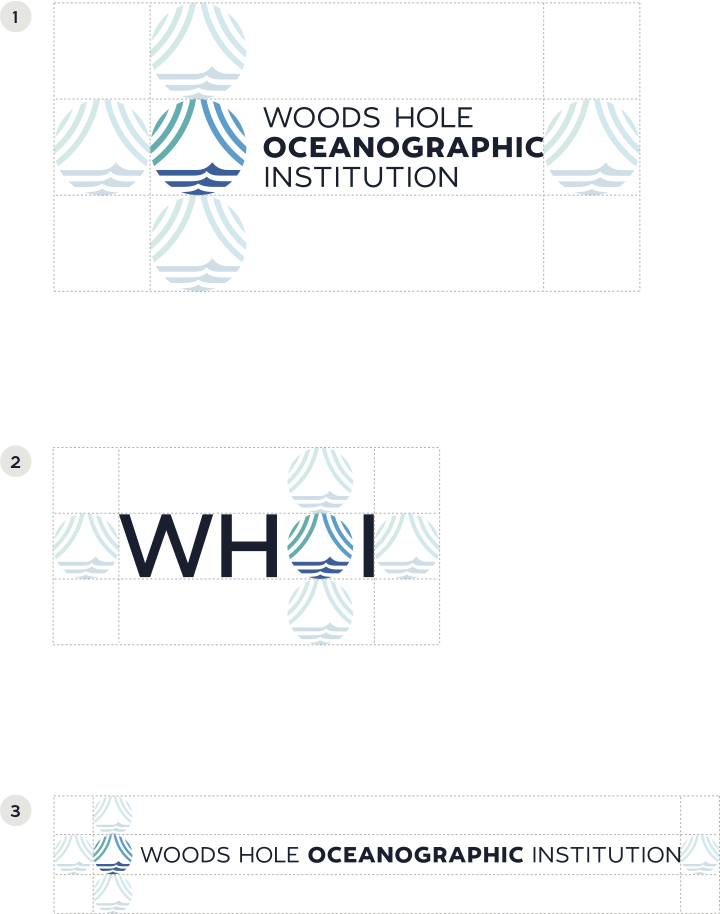
Clear space requirements
There will be applications where the logo will be featured on a colored bar, such as a masthead or footer. The rules for clear space in these instances are slightly different. When the logo is on a colored bar, the clear space is smaller. The same rules against placing extraneous graphical elements near the logo always apply.
- Primary Logo
The clear space on each side of the Primary logo is equal to the height of two of the W’s within the wordmark. The Tagline logo and Wordmark version follow the same clear space rule as the Primary logo. - Acronym Logo
The clear space on each side of the Acronym logo is equal to half (50%) the height of the letter "I" within the logo. - Single Line Logo
The clear space on each side of the Single Line logo is equal to the height of the letter W within the logo.
NOTE: The clear space guidelines shown for each logo version on the right are minimum distances. The space around the logo within a colored bar can be greater if needed.