Color
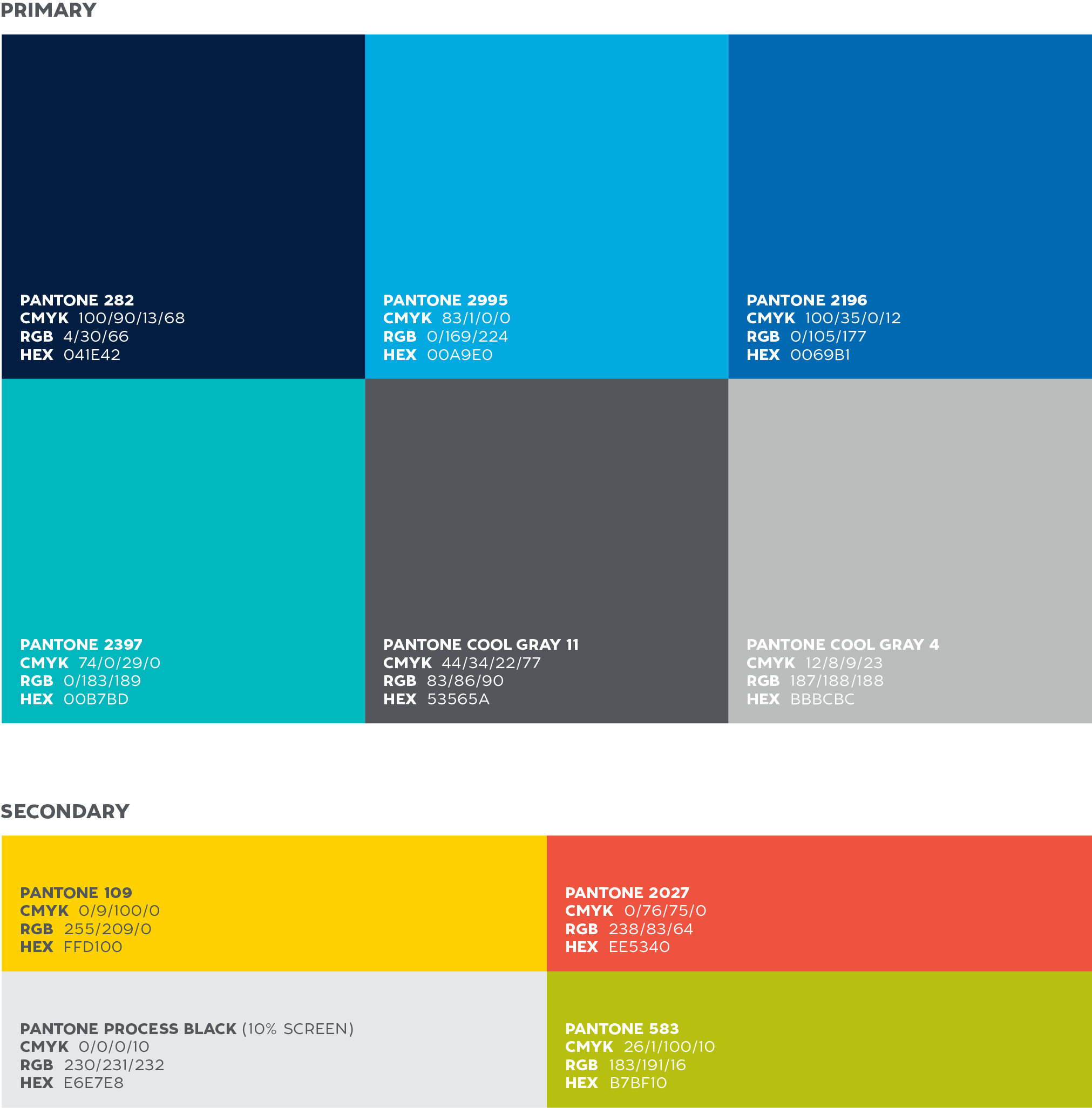
The WHOI color palette is inspired by the dramatic hues found in our oceans and on our planet. We have six primary colors and four secondary colors.
Color usage guidelines
Acceptable usage
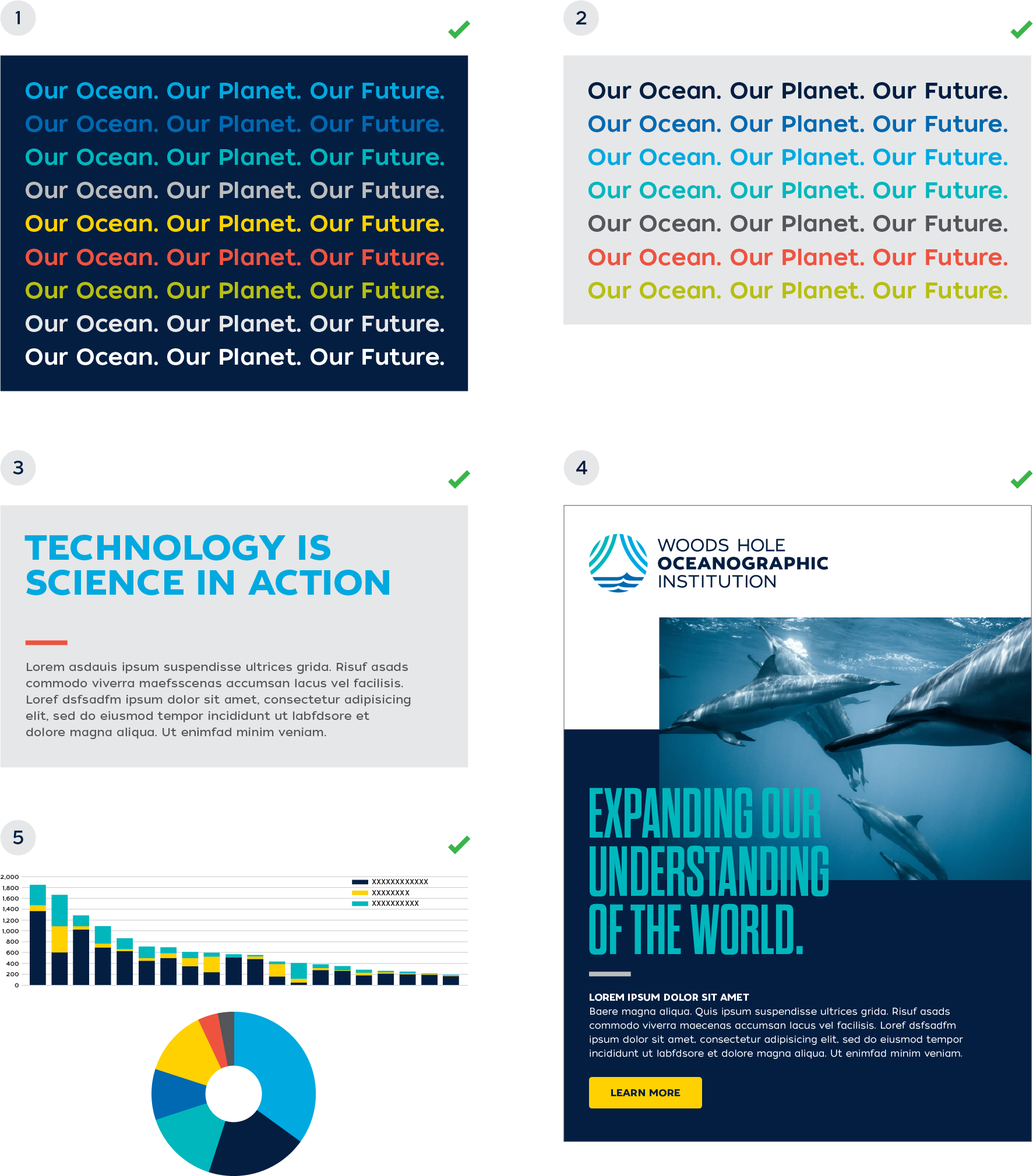
The examples shown below are acceptable uses of the WHOI color palette.
- color on a dark blue background
Almost every color within the WHOI color palette is acceptable to use on the dark blue background
(PMS 282). The only color not acceptable is dark gray (PMS Cool Gray 11) or black. - color on a light gray background
These are the acceptable colors that can be placed on the light gray background (PMS Process Black 10%). - color as highlight
Primary and secondary colors may be used as highlights and focal points within a layout. This example shows how a brighter primary color can highlight a headline, while a secondary color can provide a pop of color as a divider element. - color as link
This example shows how a brighter secondary color can be used as a clickable link, or button, in contrast to the more monochromatic layout. - color as graphic
These are a couple examples showing how the color palette can translate to charts and graphs. The primary and secondary colors should work together, creating the contrast needed in more complex graphics. The primary colors should always be used first as the most dominant colors within a chart or graph.
NOTE: When placing fonts on various color backgrounds, care should always be taken to ensure the font weight is heavy enough to not impede readability.
Color usage guidelines
Unacceptable usage
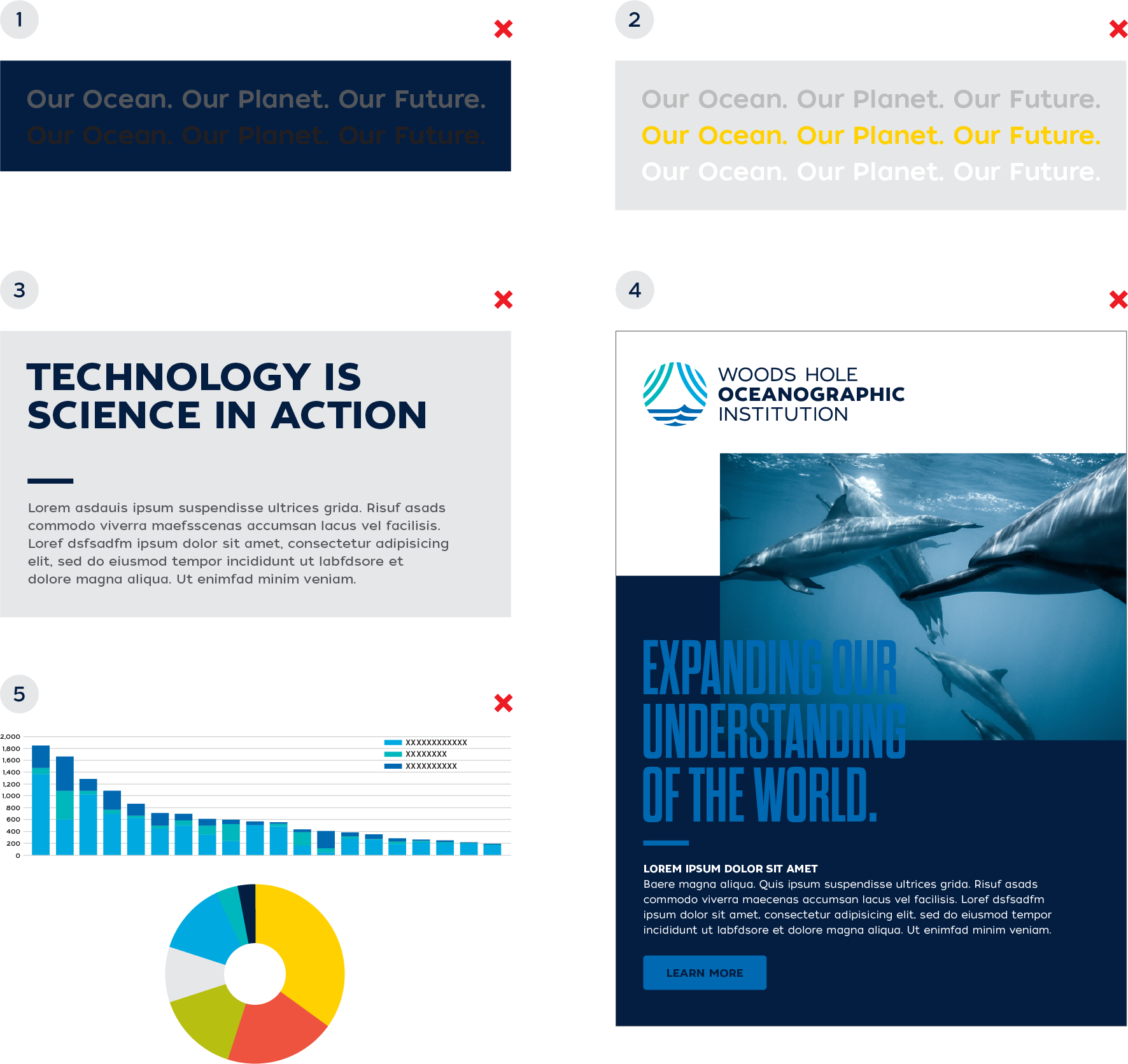
The examples shown below are unacceptable uses of the WHOI color palette.
- color on a dark blue background
Dark gray (PMS Cool Gray 11) and black should never be placed on the dark blue (PMS 282) background. - color on a light gray background
These colors should never be placed on the light gray
(PMS Process Black 10%) background as there is not enough contrast for readability. - color as highlight
The WHOI brand colors should be used to highlight content and engage readers. When headlines and design elements become too monochromatic, they lack visual interest and feel flat. - color as link
Color is very important in digital applications where calls-to-action must be clear and visible. Take care to maintain enough contrast between the color of type and the background, as well as a consistent link color that is easy to see. This example illustrates poor color usage. - color as graphic
When creating a chart or graph that needs to convey information quickly, make sure there is enough contrast between the colors used next to each other. Otherwise, a monochromatic chart will have legibility issues. Also, secondary colors should be used sparingly and never dominate a graphic.